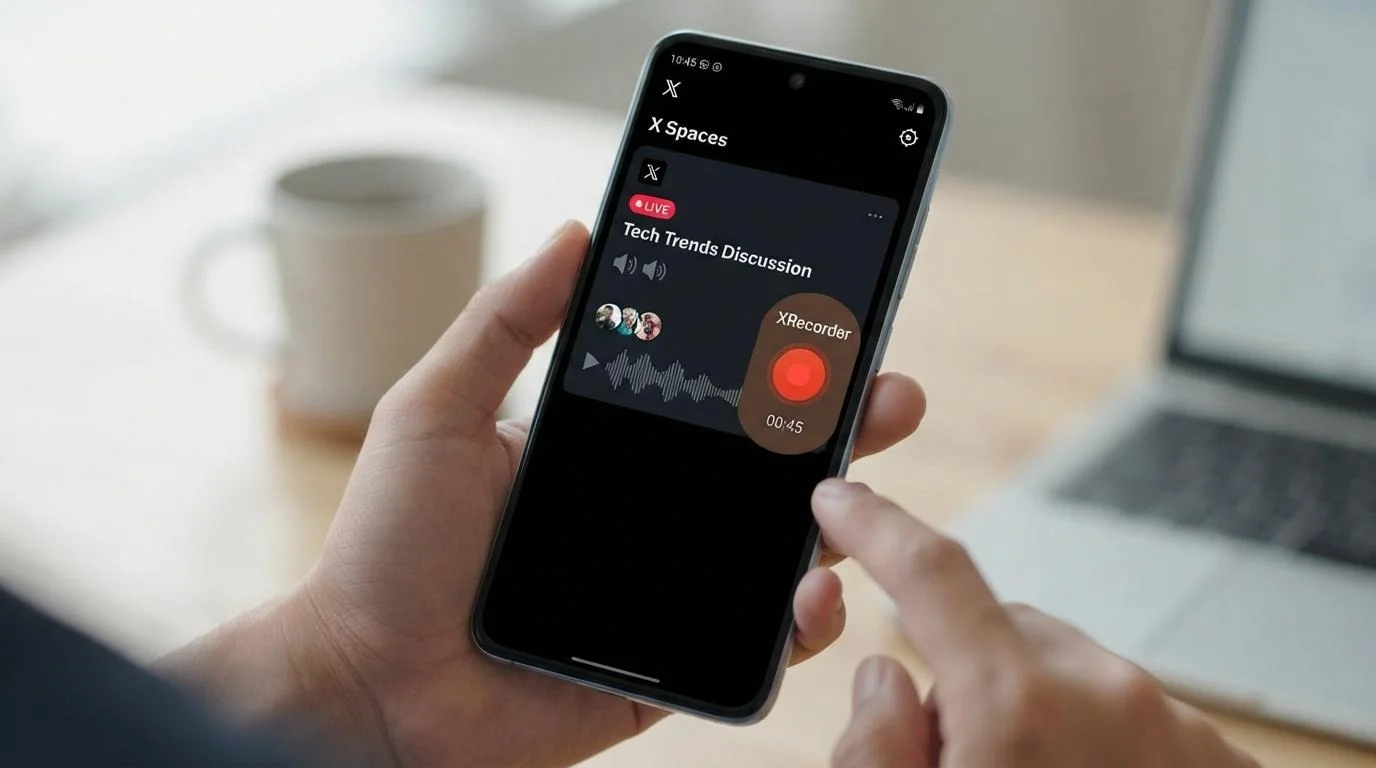
XRecorder Manual Recording with Twitter Live Guide
Learn how to manually record x spaces with XRecorder on Chrome, Android, and Windows. Join a live room, start recording, and stop later to download M…
Capture 𝕏 Twitter Spaces in studio quality. Start for free


Processing in seconds
320kbps Original Quality
No logs kept
No quotas
Learn how to manually record x spaces with XRecorder on Chrome, Android, and Windows. Join a live room, start recording, and stop later to download M…
Learn how to save X Spaces for offline listening on any device, capture live sessions, move files to your phone or laptop, and handle expired or clos…
Twitter Spaces can feel like a conversation you were lucky to catch live — and then it's gone. A twitter live recorder changes that math: it
One of the most dynamic chat platforms of the digital age, 𝕏 Spaces (formerly Twitter Spaces), is a vibrant arena where millions of people exchange ideas, learn, and interact every day. Should these valuable moments, these knowledge-filled conversations, disappear once the broadcast ends?
Absolutely not.
XRecorder steps in here to fundamentally transform your X Spaces experience. We're not just a Twitter Spaces downloader; we're your personal Spaces archive, content studio, and analytics tool. We make every step easy for you, from catching broadcasts you missed to immortalizing a conversation you listened to live, to editing your recorded audio and turning it into brand new content.
No more falling victim to the speed of information flow. With XRecorder, you are completely in control.
In its simplest terms, XRecorder is an advanced web platform that allows you to record X Spaces broadcasts live or download past broadcasts in MP3 format. However, this definition only scratches the surface of what we offer.
XRecorder's core strength lies in its ability to record in the background while you listen, even if the broadcaster has forgotten or chosen not to share the recording. This eliminates the regret of thinking, “I wish I had recorded that.” With a single link, you can add the entire conversation to your digital archive in high quality.
But we don't stop there. XRecorder goes beyond simply downloading Twitter Spaces, offering you unique tools:
XRecorder transforms X Spaces from a passive listening experience into an active information processing and content creation process.
The power of our platform lies in its ability to greatly simplify complex processes for you. You don't need to be a tech genius to archive a 𝕏 Twitter Spaces broadcast. Just follow these steps:
Step 1: Copy the Space Link
Step 2: Paste it into XRecorder
Step 3: Analysis and Download
That's it! In three simple steps, you can save a valuable source of information forever.
There may be other tools on the market, but none offer the integrated and powerful ecosystem that 𝕏Recorder provides. Here are the most important reasons to choose us:
Our “Auto-pilot” feature is revolutionary for content archivists. Do you have favorite broadcasters you follow and never want to miss? Journalists, industry leaders, artists... Add them to your “Follow List” from your XRecorder dashboard. From that moment on, you can sit back and relax. Our system monitors every Space broadcast initiated by these individuals 24/7 and starts recording for you the moment they press the “Start Broadcast” button. When you wake up in the morning, you'll see all the important conversations that took place while you were sleeping waiting for you on your panel. This allows you to stay on top of the global flow of information regardless of time differences.
Audio quality is everything to us. Many tools cause quality loss by recompressing audio to make files smaller. XRecorder directly captures the original audio stream provided by 𝕏. This means we deliver you a crystal-clear audio file with the highest possible fidelity, free from compression losses or artificial distortions. When you use these audio files in your podcasts, videos, or any project, your listeners will notice the professional quality.
Your privacy is our priority. When you use 𝕏Recorder, your actions are completely anonymous. When you record or download a broadcast, the broadcaster or other listeners are not notified. Our platform connects to the broadcast like a standard listener and never reveals your identity or activity. This is a critical safeguard, especially for journalists researching sensitive topics, professionals conducting market analysis, or simply curious listeners. Archive freely and without worry.
Raw recordings you download often contain unnecessary sections: long waiting periods at the beginning of the broadcast, technical glitches, off-topic conversations, or parts that don't interest you. We eliminate this problem with 𝕏Recorder's integrated “Studio”.
This studio allows you to perform professional audio editing directly in your browser without the need for additional software.
The most effective way to turn an audio recording into information is to convert it to text. XRecorder automatically analyzes the 𝕏 Twitter Space recording you download and provides you with an incredibly detailed transcript:
This feature is invaluable for researchers, students, journalists, and content writers. It converts audio information into written data that can be worked on, quoted, and analyzed.
We give you the flexibility to use your valuable content across different platforms.
With XRecorder, you can create content in many different formats from a single source.
Our platform is designed to meet the needs of a wide range of users:
If you value knowledge and don't want to lose it, XRecorder is for you.
Q: Is it legal to use XRecorder? A: 𝕏 Twitter Space broadcasts are public. Recording these broadcasts is generally not a problem within the framework of personal archiving and fair use principles. However, if you plan to distribute the content you record commercially or without permission, it is important to consider the rights of the original broadcaster and copyright laws. Our platform encourages users to comply with laws and ethical rules.
Q: Do I need to stay on the page until the end of the broadcast to record a live broadcast? A: No! You can close the browser tab after starting the “Live Record” process. Our servers will continue recording until the broadcast ends, even if you are offline. Once the recording is complete, the file will be automatically added to your panel.
Q: How long of a broadcast can I record? A: Theoretically, there is no limit. We can record the entire duration of the longest broadcast allowed by 𝕏 Spaces.
Q: Which languages does the transcription service support? A: Our transcription infrastructure supports Turkish, English, German, French, Dutch, and dozens of other popular languages with high accuracy. The system attempts to automatically detect the language of the broadcast.
Q: Can I use XRecorder on mobile devices? A: Yes, our platform has a fully responsive design. You can seamlessly use all features (downloading, editing, viewing transcripts) from your phone or tablet browser.
Put an end to the fleeting and temporary nature of 𝕏 (Twitter) Spaces. With 𝕏Recorder, every chat becomes a permanent treasure trove of information, and every recording a potential masterpiece.
Start building your archive today by recording your first Space. Capture, process, and tell your own story.